대표어
대표어
 https://www.nrc.gov/reading-rm/doc-collections/nuregs/pubs/2026/index
권호기사보기
| 기사명 | 저자명 | 페이지 | 원문 | 기사목차 |
|---|
결과 내 검색
동의어 포함
Title page 1
Contents 10
ABSTRACT 4
PREFACE 5
ACKNOWLEDGMENTS 22
ABBREVIATIONS 23
1. INFORMATION DISPLAYS 25
1.1. General Display Guidelines 31
1.2. Display Formats 40
1.2.1. Continuous Text Displays 40
1.2.2. Tables and Lists 42
1.2.3. Information Forms and Fields 45
1.2.4. Bar Charts and Histograms 48
1.2.5. Graphs 50
1.2.6. Pie Charts 55
1.2.7. Flowcharts 55
1.2.8. Mimics and Diagrams 56
1.2.9. Maps 57
1.2.10. Integral and Configural Formats 59
1.2.11. Graphic Instrument Panels 61
1.2.12. Speech Displays 61
1.3. Display Elements 63
1.3.1. Alphanumeric Characters 63
1.3.2. Abbreviations and Acronyms 64
1.3.3. Labels 65
1.3.4. Icons and Symbols 66
1.3.5. Numeric Data 68
1.3.6. Scales, Axes, and Grids 68
1.3.7. Borders, Lines, and Arrows 73
1.3.8. Color 73
1.3.9. Size, Shape, and Pattern Coding 78
1.3.10. Highlighting by Brightness and Flashing 79
1.3.11. Auditory Coding 80
1.4. Information Update Rate 83
1.5. Display Pages 84
2. USER-INTERFACE INTERACTION AND MANAGEMENT 88
2.1. General User Input Guidelines 101
2.2. User Input Formats 114
2.2.1. Command Language 114
2.2.2. Menus 117
2.2.3. Function Keys 128
2.2.4. Macros/Programmable Function Keys 130
2.2.5. Forms 131
2.2.6. Direct Manipulation 133
2.2.7. Natural Language 138
2.2.8. Query Language 138
2.2.9. Question and Answer 139
2.2.10. Speech 140
2.3. Cursors 142
2.3.1. Appearance 142
2.3.2. Controls 143
2.3.3. Movement 143
2.3.4. Multiple Cursors 145
2.3.5. Pointing Cursors 146
2.3.6. Text Entry Cursors 147
2.3.7. Multiple Display Devices 147
2.4. System Response 148
2.4.1. Prompts 148
2.4.2. Feedback 149
2.4.3. System Response Time 149
2.5. Managing Displays 151
2.5.1. Display Selection and Navigation 151
2.5.2. Windows 159
2.5.3. Display Control 165
2.5.4. Display Update or Freeze 166
2.5.5. Display Suppression 167
2.5.6. Scrolling and Paging 167
2.5.7. Automated Actions 169
2.6. Managing Information 170
2.6.1. Editing Documents 170
2.6.2. Saving Files 175
2.6.3. Temporary Editing Buffer 176
2.6.4. Excerpt File 176
2.7. User Assistance 177
2.7.1. General 177
2.7.2. Advisory Messages 178
2.7.3. Error Messages 179
2.7.4. Validating User Input 180
2.7.5. Confirming Entries 182
2.7.6. Protecting Data 183
2.7.7. Correcting Information and Command Entries 185
2.7.8. User Guidance or Help 186
2.8. Interface Flexibility 188
2.9. System Security 191
2.9.1. User Identification 191
2.9.2. Information Access 193
3. ANALOG CONTROL AND DISPLAY DEVICES 195
3.1. Analog Control Devices 198
3.1.1. General Control Guidelines 198
3.1.2. Pushbuttons 203
3.1.3. Slide Switches 206
3.1.4. Toggle Switches 208
3.1.5. Rocker Switches 208
3.1.6. Rotary Controls 210
3.1.7. Manual Valves 216
3.2. Analog Display Devices 216
3.2.1. Meters 216
3.2.2. Light Indicators 217
3.2.3. Numeric Readouts 219
3.2.4. Valve Position Indication 219
4. ALARM SYSTEMS 221
4.1. Alarm Definition and Treatment 231
4.1.1. Alarm Definition 231
4.1.2. Alarm Processing 233
4.1.3. Alarm Prioritization and Message Availability 235
4.1.4. Alarm Routing 236
4.1.5. Alarm Recording 237
4.2. Information Display 237
4.2.1. General Alarm Display Guidelines 237
4.2.2. Display of High-Priority Alarms 238
4.2.3. Display of Alarm Status 238
4.2.4. Display of Shared Alarms 239
4.2.5. Alarm Contents 240
4.2.6. Coding Methods 242
4.2.7. Spatially Dedicated, Continuously Visible Alarm Displays 248
4.2.8. Alarm Message Lists 249
4.2.9. Alarms Integrated into Other Displays 250
4.3. User-System Interaction and Controls 251
4.3.1. General Alarm Control Guidelines 251
4.3.2. Silence Functions 252
4.3.3. Acknowledge Controls 252
4.3.4. Reset Functions 253
4.3.5. Alarm Management 253
4.3.6. Automatic Features 254
4.3.7. Control Devices 255
4.4. Reliability, Test, Maintenance, and Failure Indication Features 255
4.4.1. Reliability 255
4.4.2. Test 256
4.4.3. Maintenance 257
4.4.4. Failure Indication 258
4.5. Alarm Response Procedures 258
4.6. Control-Display Integration and Layout 259
4.7. Integration with Other HSI Elements 260
5. SAFETY PARAMETER DISPLAY SYSTEM 262
5.1. Information Display 267
5.2. Reliability, Test, Maintenance, and Failure Indication 271
5.3. Integration with Other HSI Elements 272
6. LARGE-PANEL HUMAN-SYSTEM INTERFACES 273
6.1. General LPHSI Guidelines 274
6.2. Interaction with LPHSIs 275
7. SOFT CONTROL SYSTEMS 277
7.1. General Guidelines 290
7.2. Selection Displays 291
7.3. Control Displays 292
7.3.1. General Characteristics of Control Displays 292
7.3.2. Information Provided in Control Displays 293
7.3.3. Types of Control Inputs 295
7.3.4. Sequential Actions 297
7.3.5. Higher Level Controls 299
7.3.6. Modes 299
7.3.7. Coordination of Multiple Users 300
7.4. Feedback 301
7.5. Warning Messages 302
7.6. Confirmation Steps 302
7.7. Cancel and Undo Features 303
7.8. System Validation of Control Inputs 303
7.9. Delay of System Response to Control Inputs 304
7.10. Interlocks, Lockouts, and Lockins 304
7.11. Soft Control Failure 305
8. COMPUTER-BASED PROCEDURE SYSTEMS 306
8.1. Information Display 312
8.1.1. Procedure Identification 312
8.1.2. Basic Steps 313
8.1.3. Warnings, Cautions, Notes, and Reference Materials 314
8.1.4. Lists 314
8.1.5. Organization of Procedures 315
8.1.6. Formatting and Screen Layout 315
8.2. Functional Capabilities 316
8.2.1. Procedure Supervision and Control 316
8.2.2. Procedure Monitoring and Assessment 317
8.2.3. Monitoring User Actions 318
8.2.4. Planning and Implementation 319
8.3. User-System Interaction 319
8.3.1. Path Monitoring 319
8.3.2. Navigation 319
8.3.3. Help 320
8.4. CBP Hardware 320
8.5. Backup for CBPs 320
8.6. CBP Integration with Other HSI Elements 321
9. AUTOMATION SYSTEMS 322
9.1. Automation Displays 327
9.2. Alerts, Notifications, and Status Indications 329
9.3. Interaction and Control 330
9.4. Automation Modes 331
9.5. Automation Levels 332
9.5.1. Shared Control 332
9.5.2. Operation by Consent 333
9.5.3. Operation by Exception 333
9.6. Adaptive Automation 333
9.7. Computerized Operator Support Systems (COSS) 334
9.8. HSI Integration 335
10. COMMUNICATION SYSTEMS 336
10.1. General Communication Guidelines 339
10.2. Speech-Based Communications 340
10.2.1. General Guidance for Speech-Based Communication Systems 340
10.2.2. Microphones 342
10.2.3. Headsets, Handsets, and Speakers 342
10.2.4. Traditional Analog Telephone Systems 344
10.2.5. Sound-Powered Telephone Systems 345
10.2.6. Portable Radio Transceivers 346
10.2.7. Announcing Systems 347
10.2.8. Other Communication Systems 347
10.3. Text-Based Communications 348
10.3.1. General Guidance for Text-Based Communication Systems 348
10.3.2. Preparing Messages 349
10.3.3. Sending Messages 349
10.3.4. Receiving Messages 351
11. WORKSTATION DESIGN 354
11.1. General Workstation Guidelines 360
11.1.1. Configuration and Posture Support 360
11.1.2. User Safety 361
11.2. Workstations Containing Primarily Analog HSIs 364
11.2.1. Analog Workstation Configuration 364
11.2.2. Panel Layout 367
11.2.3. Control-Display Integration 372
11.3. Workstations Containing Primarily Computer-Based HSIs 377
11.3.1. Visual Display Devices 377
11.3.2. Computer Input Devices 386
11.3.3. Hand-Held Devices 401
11.3.4. Desktops and Work Surfaces 401
11.3.5. Workstation Support Devices 403
11.4. Workstation Labeling and Demarcations 405
11.4.1. Labels 405
11.4.2. Demarcations 411
11.5. Chairs and Footrests 411
11.5.1. General Seating Guidance 411
11.5.2. Seat Pan 412
11.5.3. Backrest 413
11.5.4. Chair Surfaces 413
11.5.5. Armrests 414
11.5.6. Chair Headrest 414
11.5.7. Chair Pedestal/Legs 415
11.5.8. Casters 415
11.5.9. Temporary Seating 415
11.5.10. Footrests 416
11.5.11. Clearance Behind Seated Workstations 417
11.6. Printers, Recorders, and Plotters 417
12. WORKPLACE DESIGN 420
12.1. Control Rooms 426
12.1.1. Control Room Configuration 426
12.1.2. Control Room Environment 439
12.2. Local Control Stations 451
12.2.1. Local Control Station Configuration 451
12.2.2. Local Control Station Environment 456
13. MAINTAINABILITY OF DIGITAL SYSTEMS 467
13.1. General 470
13.1.1. Minimizing Maintenance Demands 470
13.1.2. Continuous Operation and Online Maintenance 473
13.1.3. Supporting the Operator Role in Maintenance 473
13.1.4. Protecting Personnel from Hazards 474
13.1.5. Protecting Equipment and Components from Hazards 475
13.2. Instrument Cabinets and Racks 475
13.3. Equipment Packaging 476
13.3.1. General 476
13.3.2. Modularization 476
13.3.3. Layout 479
13.3.4. Mounting 480
13.4. Fuses and Circuit Breakers 481
13.5. Labeling and Marking 482
13.6. Adjustment Controls 484
13.7. Test Points and Service Points 486
13.7.1. General 486
13.7.2. Location, Arrangement, and Marking 486
13.7.3. Accessibility 487
13.8. Test Equipment 488
13.8.1. General 488
13.8.2. Automatic Test Equipment 489
13.8.3. Test Equipment Hardware 492
14. DEGRADED HSI AND I&C CONDITIONS 494
14.1. HSIs for Monitoring I&C System Conditions 497
14.2. HSI Response to I&C System Changes 498
14.3. Information Source and Validity 499
14.4. Backup of HSI and I&C Failures 500
15. INTEGRATION OF HSI RESOURCES 501
15.1. HSI Support for Monitoring, Detection, and Situation Assessment 511
15.1.1. General Principles 511
15.1.2. Overview HSIs 513
15.1.3. Detailed HSIs 514
15.1.4. Interface Management Features 516
15.2. HSI Support for Response Planning and Implementation 519
15.2.1. Planning and Implementation Functions 519
15.2.2. HSI Contents 519
15.3. HSI Support for Teamwork and Crew Coordination 521
15.3.1. Group-View HSI Function 521
15.3.2. Identification of Participants 522
15.3.3. Group-View HSI Interactions 523
15.3.4. Individual-View HSIs 525
APPENDIX A. HIGH-LEVEL HSI DESIGN REVIEW PRINCIPLES 526
APPENDIX B. DESIGN PROCESS GUIDELINES 530
APPENDIX C. CHANGES MADE IN NUREG-0700 REVISIONS 3 AND 4 553
APPENDIX D. GLOSSARY 571
Figure 1.1. Information Display Characterization General Display Guidelines (Data Quality and Update Rates Not Shown) 25
Figure 1.2. Placement of Heading Above Information Fields 47
Figure 1.3. Placement of Heading Adjacent to Information Fields 47
Figure 1.4. Example of a Horizontal Bar Chart 49
Figure 1.5. Example of a Deviation Bar Chart 49
Figure 1.6. Example of a Segmented Bar Chart 50
Figure 1.7. Example of a Linear Profile Chart 53
Figure 1.8. Example of a Segmented Curve Graph 54
Figure 1.9. Example of a Mimic Display 56
Figure 1.10. Graduation Dimensions in Inches (Millimeters) for a 3-Foot (0.9 Meter) Viewing Distance 69
Figure 2.1. Examples of Menu Structures 124
Figure 2.2. Layered and Tiled Windows 159
Figure 2.3. Example of Different Applications with Separate Menu Bars 163
Figure 2.4. Example of Figure Animation 164
Figure 2.5. Examples of Open Window Indications 165
Figure 3.1. Control Operation Stereotypes for the U.S. Population 200
Figure 3.2. Easily Identified (Discriminated) Shapes 203
Figure 3.3. Recommended Dimensions for Unguarded and Nonrecessed Pushbuttons 204
Figure 3.4. Recommended Dimensions for Legend Pushbuttons 206
Figure 3.5. Recommended Dimensions for Slide Switches 207
Figure 3.6. Recommended Dimensions for Toggle Switches 208
Figure 3.7. Recommended Dimensions for Rocker Switches 209
Figure 3.8. Shape-Coded Rotary Controls 210
Figure 3.9. High-Torque J-Handle Dimensions 211
Figure 3.10. Key-Operated Control Dimensions 212
Figure 3.11. Recommended Dimensions for Rotary Controls with Finger Stops and Skirts 213
Figure 3.12. Recommended Dimensions for Discrete Thumbwheel Controls 214
Figure 3.13. Recommended Dimensions for Rotary Selector Switches 215
Figure 3.14. Zone Markings 217
Figure 4.1. Alarms Integrated into A Process Display 251
Figure 7.1. Two Typical Displays for Selecting Items to Be Controlled 282
Figure 7.2. Soft Control Input Field That Is Integral with Selection Display 283
Figure 7.3. Soft Control Input Field in a Window Within the Selection Display 284
Figure 7.4. Selection Display and Control Display on Separate Devices 284
Figure 7.5. Implementation of Soft Sliders 296
Figure 7.6. Example of a Higher Level Control 299
Figure 11.1. Seated Posture Variations 361
Figure 11.2. Line of Sight 366
Figure 11.3. Example of A Mirror-Image Arrangement Of Controls And Displays 369
Figure 11.4. Measurement Of Minimum Separation Between Controls (distances shown in Table 11.5) 370
Figure 11.5. Position of Control Actuator and Associated Display 373
Figure 11.6. Association by Grouping 373
Figure 11.7. Controls and Displays in Rows 375
Figure 11.8. Two Rows of Displays with a Single Row of Controls 376
Figure 11.9. Basic QWERTY Layout on a Conventional Keyboard 388
Figure 11.10. Two Numeric Keypad Layouts 388
Figure 11.11. Four Cursor Control Key Layouts 389
Figure 11.12. Example of Good Panel Labeling 406
Figure 11.13. Demarcation Lines 411
Figure 11.14. Swing-Away Seat for Short-Term Use 415
Figure 12.1. Hinged Door Dimensions 427
Figure 12.2. Spacing of Equipment to Accommodate Seated Users 429
Figure 12.3. Equipment-To-Equipment Distances: Single Person And More-Than-One-Person Spaces 430
Figure 12.4. Minimum Ventilation Requirements 441
Figure 12.5. Oral Communication Level as a Function of Distance and Ambient Noise Level 449
Figure 12.6. Acceptable Reverberation Times 451
Figure 12.7. Permissible Noise Exposure Limits for Use of Hearing Protectors 462
Figure 14.1. Characterization of the I&C System, the HSI, and Human Performance 495
Figure 15.1. Tasks and Processes Supporting Human Performance 501
Figure 15.2. Vertical Slice Through an LLWR Plant's Functional Hierarchy for Ensuring Safety 505
*표시는 필수 입력사항입니다.
| 전화번호 |
|---|
| 기사명 | 저자명 | 페이지 | 원문 | 기사목차 |
|---|
| 번호 | 발행일자 | 권호명 | 제본정보 | 자료실 | 원문 | 신청 페이지 |
|---|
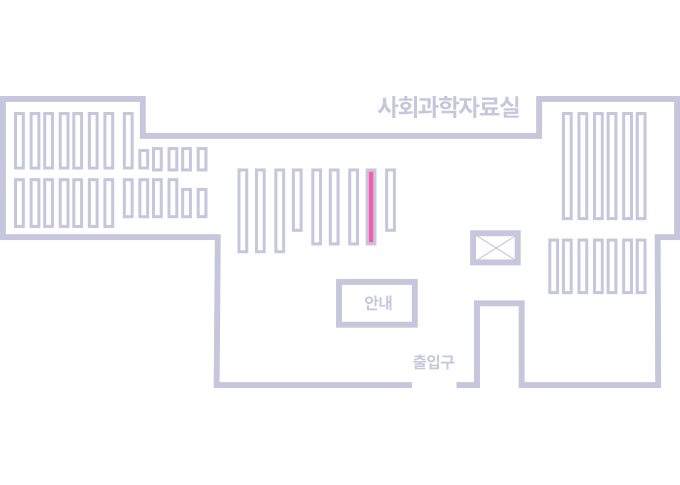
도서위치안내: / 서가번호:
우편복사 목록담기를 완료하였습니다.
*표시는 필수 입력사항입니다.
저장 되었습니다.